Case study
Building a smart cash flow dashboard with AI
Client
Industry
Year
Status

Overview
About this project
This was a 7-day design challenge for a research-focused Senior Product Designer role. The goal was to unify Accounts Payable and Accounts Receivable into a single cohesive view. I wrote this case study to showcase how I made strategic trade-offs to deliver an end-to-end cycle within a week, with minimal context information, and how I leveraged AI to speed up discovery and prototyping.
Problem
Decisions made by feel
Small business owners usually manage money coming in and money going out across different tools and spreadsheets. This disconnected experience forces them to make critical financial decisions based on intuition.
Bad decisions may cost money but may also damage the company's relationship with clients and vendors. I needed to shift their focus from static account totals to a time-based cash runway, and giving them enough information to make better decisions.
Solution
End-to-end design process within a week
The discovery process
To kick off the discovery phase without real user data, I created two proto-personas: the Founder and the Finance Manager. This helped me ground my design decisions and guide the process in the limited time I had.
I then built a CSD matrix (Certainties, Suppositions, and Doubts) to map out my hypotheses for both personas. This matrix served as the foundation for my research plan and helped me define the specific questions I needed to ask.
Because of the tight 7-day deadline, I used Claude to conduct synthetic user interviews. This AI simulation allowed me to gather plausible qualitative insights without spending days recruiting real users.
The research revealed that users look at a 7-day planning horizon and need explicit math to trust system recommendations. I categorized these insights into the three key journey moments requested by the brief: Seeing, Deciding, and Committing.

Exploring ideas and live prototyping
With the research insights in hand, I evaluated three possible product approaches: a demonstrative view, a suggestive model, and full automation.
I decided the suggestive approach was the safest and most valuable path, keeping the human in control while offering smart recommendations based on data to speed up their decision process.
To visualize these ideas, I used Claude to generate a basic design system from the provided style guide. I rapidly prototyped three different options:
An unified AP/PR view in one table with filters + recommendation cards and automation
A split view of AP and AR in two columns side by side + big summary cards + recommendation cards and automation options
Task cards with recommendations in a kanban view + an AI assistant to respond to questions and perform actions
Using AI for this step saved about 70% of my time and let me live-test the ideas quickly. Then, I put them side by side, listing their Pros and Cons to help me decide on a path to iterate on.

Choosing a version and iterating
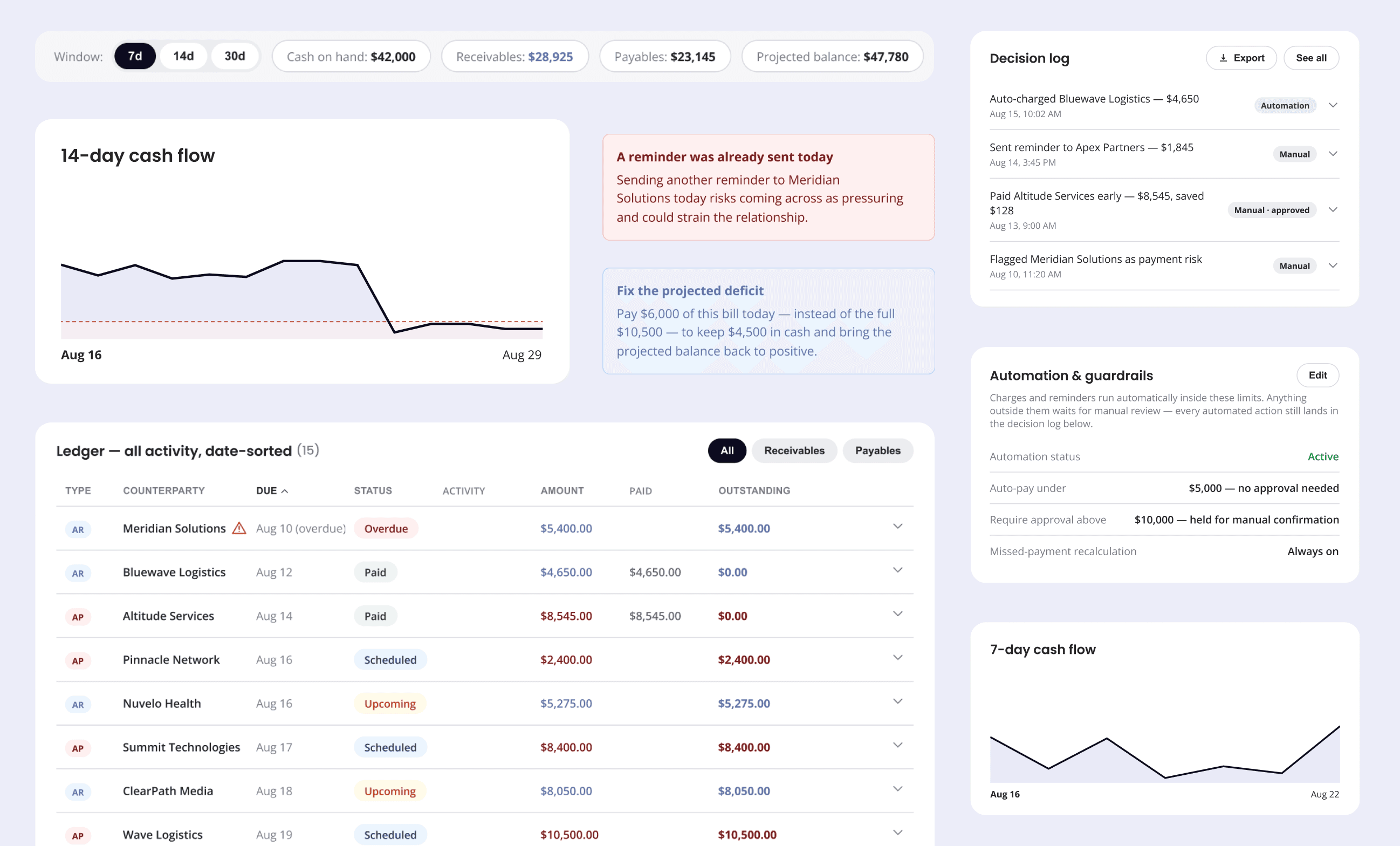
I chose to move forward with the unified 7-day dashboard (Option 1) because it directly solved the core problem. It prioritized cash-flow timing over static totals and balanced system guidance with user control. I discarded the Kanban view because it destroyed the visual timeline, and rejected the side-by-side view because it still required users to do mental math.
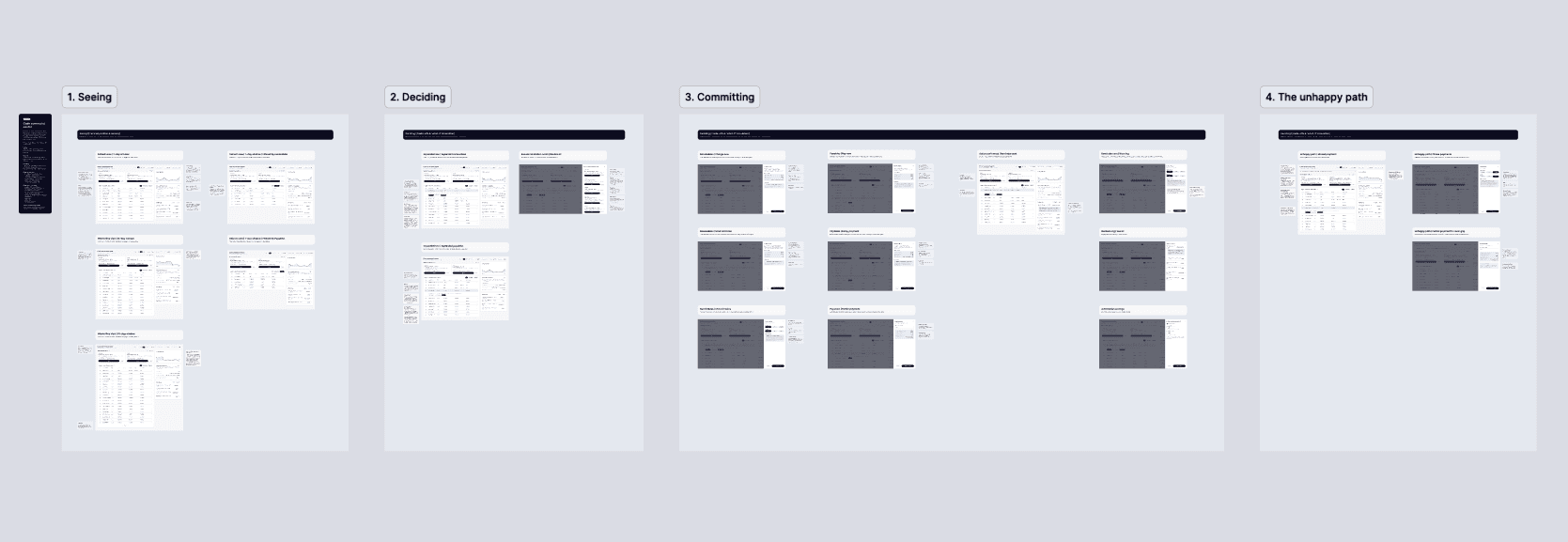
I iterated on the chosen dashboard to refine the visual hierarchy and added the unhappy path scenario: a missed client payment. I tested it thoroughly, and once the prototype was working perfectly in Claude, I used a plugin to import the screens directly into Figma, sorting out the final documentation and handoff.
I separated the flow between the 3 key moments: Seeing, Deciding, and Committing. And at the end, I added one sample of an unhappy path.
Seeing: Shows how the customer reads their position based on timing rather than total balances.
Deciding: Guides the user on what to pay, what to hold, what to part-pay, and which overdue invoices to chase.
Comitting: Gives the user complete confidence in the outcome before executing money movement and provide a clean audit trail.


Outcome
A proof of concept based on data and delivered in time
By making clear trade-offs and using AI as a strategic partner, I delivered a comprehensive rationale document, a full research walkthrough, an organized Figma file, and a fully interactive prototype within the 7-day window.
The final concept successfully shifts the user focus from isolated account totals to a unified, time-based cash runway. It bridges the gap between payables and receivables, helping users make high-stakes financial decisions with confidence based on data.
Final thoughts
Next steps in a real-life project
If this were a real project, my next step would be usability testing with actual users. Validating the prototype with real users would help me measure task completion and gather qualitative feedback on the recommendation system.
After that, I would rebuild the interface directly in Figma using the company's official Design System. Finally, I would define clear success metrics and prepare the formal handoff documentation for the engineering team before a beta release.